Search cardssearch-field
Filters the pricing table.
The placeholder is Search cards...
 Scott's TCG Binder
Pricing is the value table for owned cards and a window onto catalog price coverage.
Pricing is the value table for owned cards and a window onto catalog price coverage.
Mac
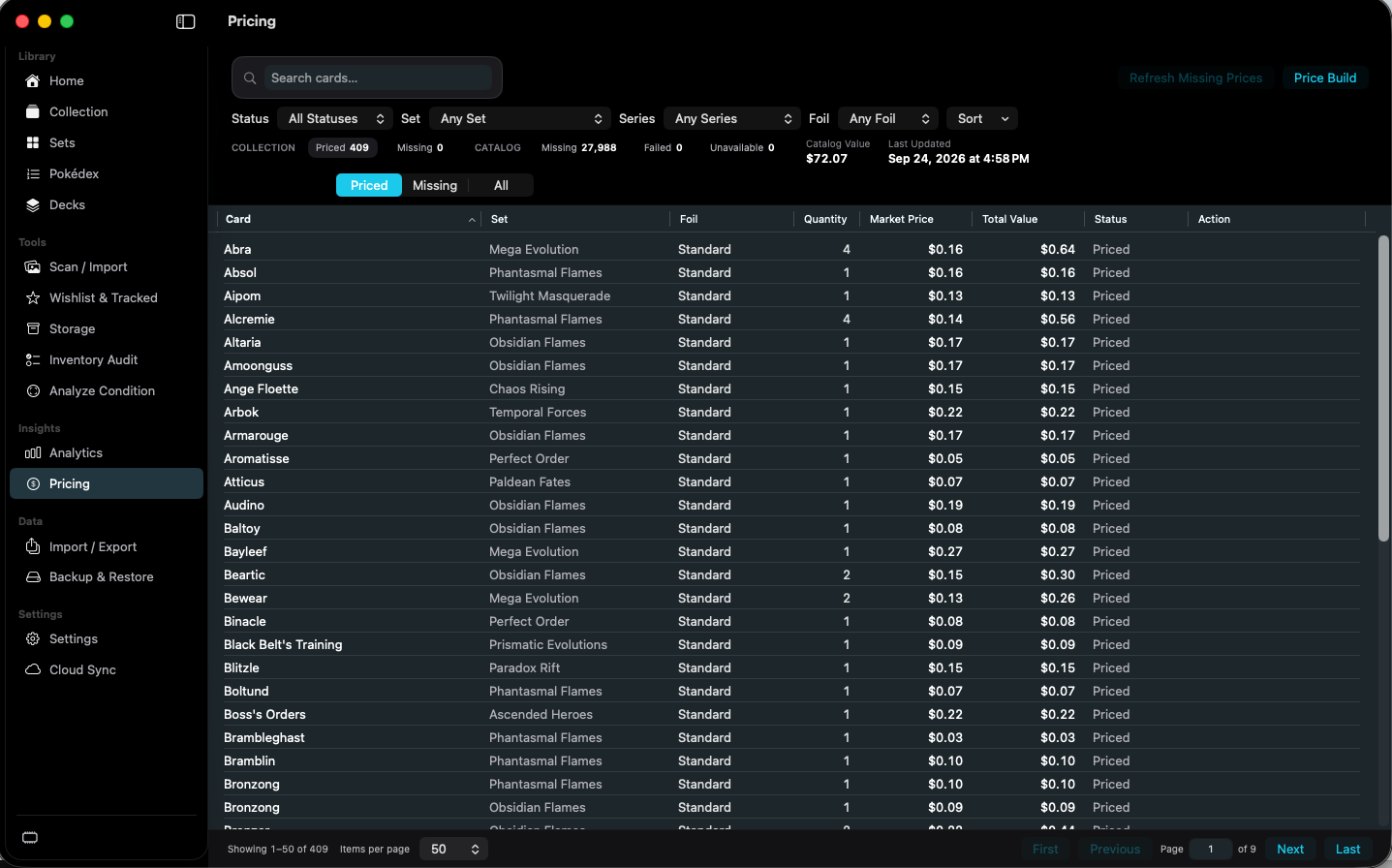
shot desktop-pricing · seq 19 · assets/screenshots/original/desktop/0019.png
iPhone
shot iphone-pricing · seq 125 · assets/screenshots/original/iphone/pricing.png
Additional platform screenshots will be added as this guide is expanded.
Filters the pricing table.
The placeholder is Search cards...
Limits the table by price status.
Priced is selected in the capture. The status line also counts catalog rows that are missing, failed, or unavailable.
Requests prices for cards that do not have one.
Paired with Price Build. Price Build's progress screen was not captured.
Not fully verified in the capture.
Put available market data in collection context.